Backup and Restore
Charon can create a full snapshot of a game data file and restore it later. Backups capture the complete state of the database - all documents, schemas, project settings, and metadata - in a single portable file.
Both operations are available from the editor UI and from the CLI. The UI is the quickest way to take a snapshot before a risky change; the CLI is what you schedule and run from a build server.
Where Backup and Restore Live
Open Project Settings → Backup. The Manual Backup & Restore card holds both buttons.
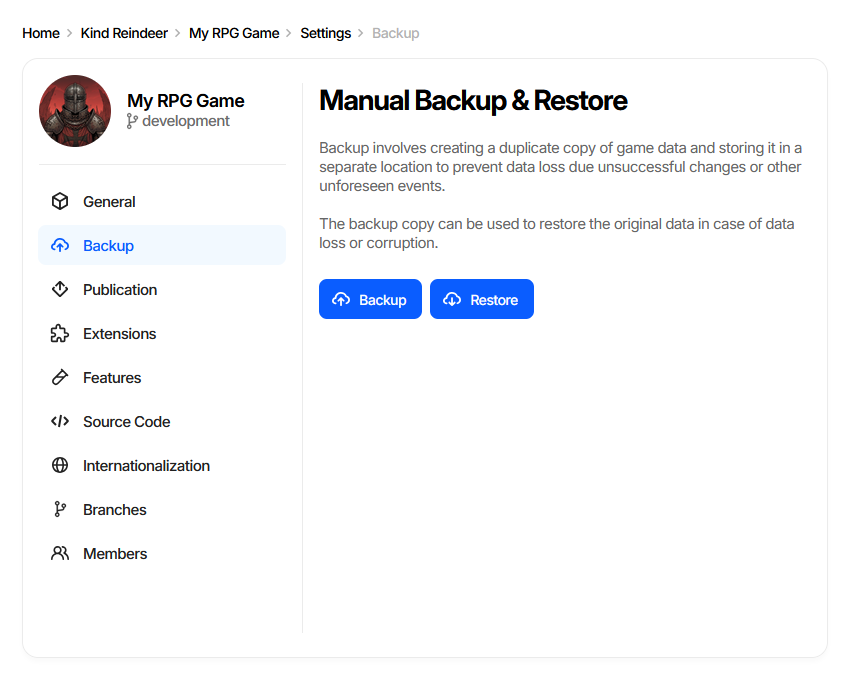
The page is part of every edition - standalone, the Unity and Unreal Engine plugins, and the web editor. Both buttons require the Administrator permission and stay disabled for every other role; see Roles and Permissions.
Creating a Backup
Backup opens a three-step wizard.
Step 1. Destination
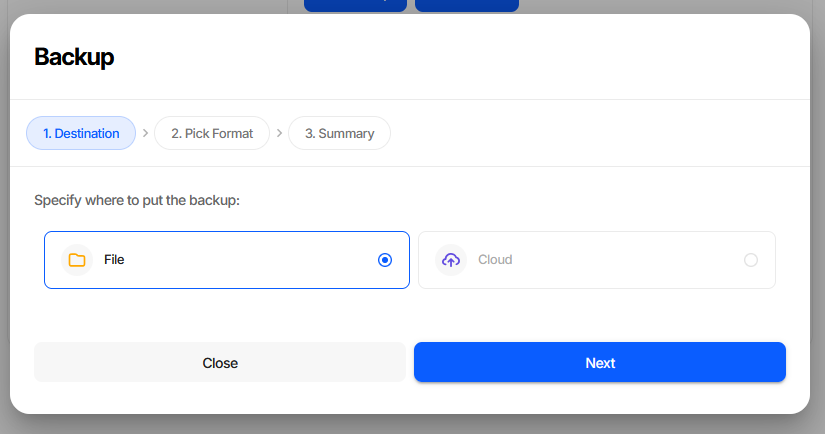
File downloads the snapshot through the browser. Cloud is shown but not selectable.
Step 2. Pick Format
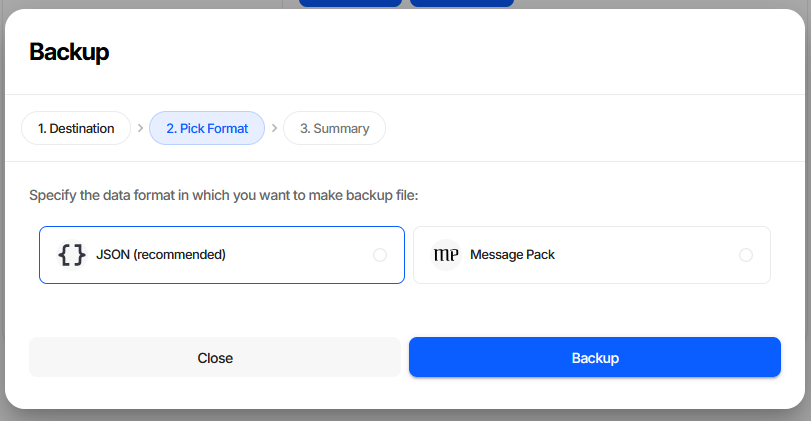
Format |
When to use |
|---|---|
JSON (recommended) |
Default. Readable and diffable, so a backup can be inspected or committed to version control alongside the data it snapshots. |
Message Pack |
Compact binary. Noticeably smaller files for large databases, at the cost of not being human-readable. |
Both formats restore identically, so the choice only affects file size and readability. Backup on this step starts the process.
Step 3. Summary
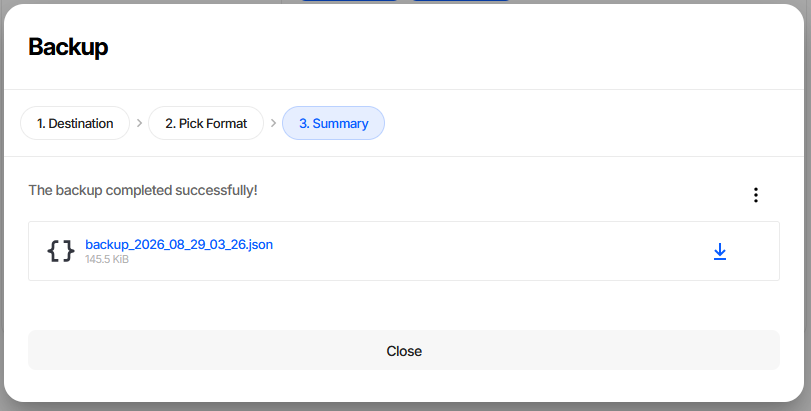
The snapshot is offered as a download, named after the date and time it was taken and annotated with its size. Nothing is written until you click the link.
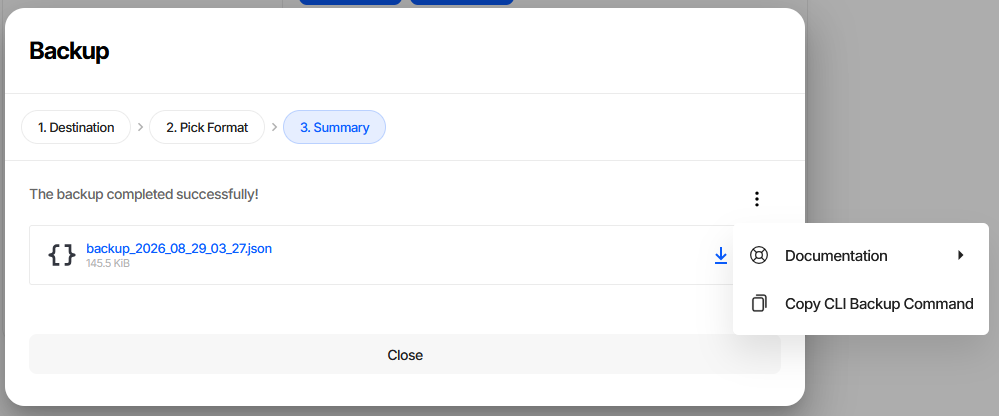
The ⋮ menu has Copy CLI Backup Command, which puts the CLI equivalent of this backup on the clipboard - the fastest way to turn a manual snapshot into a scheduled one.
CLI equivalent
# Local file
dnx dotnet-charon -- DATA BACKUP \
    --dataBase gamedata.json \
    --output backup.json \
    --outputFormat json

# Remote project
dnx dotnet-charon -- DATA BACKUP \
    --dataBase "https://charon.live/view/data/MyGame/develop/" \
    --output backup.msgpack \
    --outputFormat msgpack \
    --credentials "$CHARON_API_KEY"
Warning
--outputFormat is not inferred from the --output file name; it defaults to json.
So --output backup.msgpack without a matching --outputFormat msgpack writes JSON into a
file named .msgpack - and DATA RESTORE, which does infer the format from the extension,
then fails to read that file back. Always pass --outputFormat explicitly.
What is included
All document collections (user data, schema definitions, project settings).
ToolsVersion,RevisionHash, andChangeNumberfile-level fields.
What is not included
User accounts, API keys, and access control settings (server edition - managed separately).
Binary resource files (images, audio) attached to documents via Asset Path properties.
Restoring from a Backup
Warning
Restore replaces all content in the target database, from both the UI and the CLI. The operation is not incremental - the entire existing state is overwritten. Confirm you are targeting the correct project and branch before starting.
Restore opens a three-step wizard.
Step 1. From
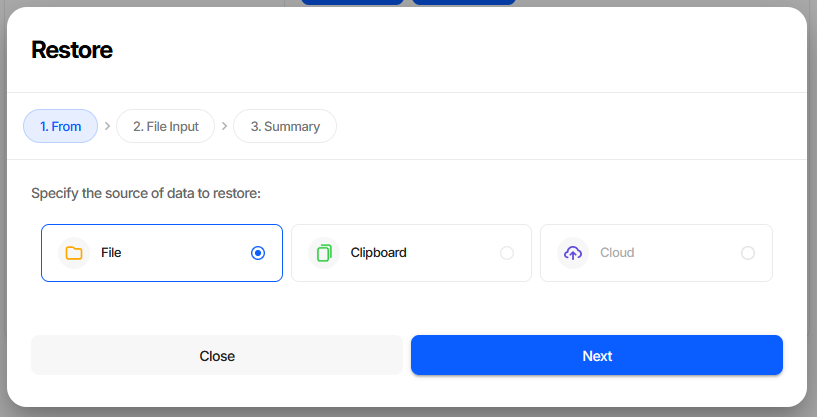
File reads a previously downloaded backup. Clipboard accepts pasted JSON text, which is useful for a snapshot kept in a ticket or a chat message. Cloud is shown but not selectable.
Step 2. File Input
Browse for the backup file. The step is labelled Clipboard Input and shows a text box instead when Clipboard was chosen on step 1; pasted text must be a valid JSON object.
Format |
Accepted extensions |
|---|---|
JSON |
|
Message Pack |
|
BSON |
|
A file with any other extension is rejected on this step, before anything is sent to the server. Restore on this step starts the process.
Step 3. Summary
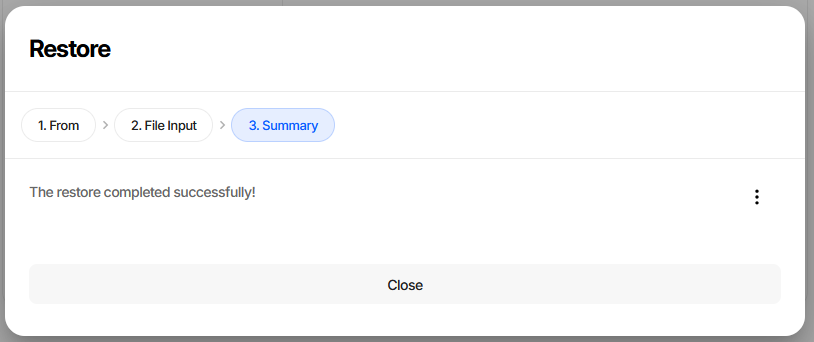
On success the ⋮ menu offers Copy CLI Restore Command. On failure the step shows the server’s error message and the data is left untouched.
CLI equivalent
# Local file
dnx dotnet-charon -- DATA RESTORE \
    --dataBase gamedata.json \
    --input backup.json

# Remote project
dnx dotnet-charon -- DATA RESTORE \
    --dataBase "https://charon.live/view/data/MyGame/develop/" \
    --input backup.msgpack \
    --credentials "$CHARON_API_KEY"
--inputFormat defaults to auto, which - unlike DATA BACKUP - is taken from the input
file’s extension. Pass json, msgpack or bson explicitly when the file has no extension or
carries a name that does not match its contents.
Backup vs Export
Choose the right tool for the job:
|
|
|
|---|---|---|
Purpose |
Full snapshot for disaster recovery |
Filtered slice for runtime or tooling |
Format |
JSON / MessagePack |
JSON / BSON / MessagePack / XLSX |
Includes schemas |
Always |
Optional ( |
Strips unused data |
No |
Yes - |
Restorable |
Yes, via |
Partially - via |
Use Backup when you need a full, restorable point-in-time snapshot. Use Export when preparing data for the game runtime or for external tools.
Scheduled Automated Backups
# Daily at 02:00
0 2 * * * dnx dotnet-charon -- DATA BACKUP \
    --dataBase /var/game/gamedata.json \
    --output /backups/gamedata_$(date +\%Y\%m\%d).msgpack \
    --outputFormat msgpack
- name: Backup game data
  run: |
    dnx dotnet-charon -- DATA BACKUP \
      --dataBase "${{ secrets.CHARON_DB_URL }}" \
      --output backups/gamedata_${{ github.run_id }}.msgpack \
      --outputFormat msgpack \
      --credentials "${{ secrets.CHARON_API_KEY }}"

- name: Upload artifact
  uses: actions/upload-artifact@v4
  with:
    name: gamedata-backup
    path: backups/
Pre-Publish Safety Snapshot
Take a backup immediately before publishing so that a known-good restore point exists:
# 1. Snapshot
dnx dotnet-charon -- DATA BACKUP \
    --dataBase gamedata.json \
    --output pre_publish_backup.json \
    --outputFormat json

# 2. Validate
dnx dotnet-charon -- DATA VALIDATE \
    --dataBase gamedata.json \
    --validationOptions checkRequirements checkReferences \
    --output err

# 3. Publish
dnx dotnet-charon -- DATA EXPORT \
    --dataBase gamedata.json \
    --mode publication \
    --output StreamingAssets/gamedata.json \
    --outputFormat json
Tip
The same three steps run from the UI as Project Settings → Backup, the Publish wizard’s collections review, and Publish itself.